No products in the cart.
Return To Shop
Tips for setting the correct crossover frequency of a subwoofer
Your subwoofer’s crossover frequency is the frequency at which your speakers begin to drop off and your subwoofer hits with LFEs and bass. Most modern AV receivers have an auto EQ program that automatically assigns the correct crossover frequency based on the capabilities of your speakers. It is usually best to leave these settings as they are.
If you are using an AV processor, preamplifier or DSP subwoofer to adjust the crossover frequency in a two-channel or surround sound setup, here are some tips to get the best possible performance. As with all bass management features, it helps to listen critically and experiment to achieve the best sounding results.
Check out the entire SVS Subwoofer lineup to choose the subwoofer that best suits your TV/movie.
- If you know the frequency range of your speakers, set the crossover point about 10 Hz above the lowest frequency your speakers can cleanly handle.
- The most recommended crossover frequency (and THX standard) is 80 Hz.
- The numbers below provide general guidelines for speaker/subwoofer crossover frequencies
- On-wall or small “satellite” speakers: 150-200 Hz.
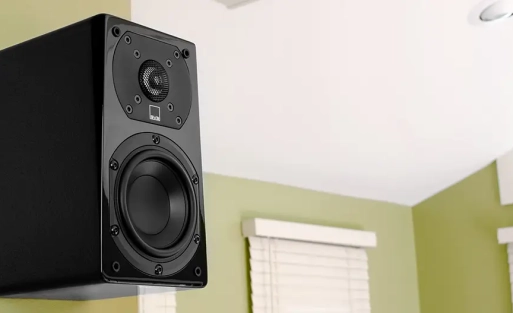
- Small mid, surround, bookshelf: 100-120 Hz.
- Medium mid, surround, bookshelf: 80-100 Hz.
- Large center, surround and bookshelf: 60-80 Hz.
- Very large center, surround and bookshelf: 40-60 Hz.
- Tower speakers with 4″-6″ woofers: 60 Hz.
- Tower speakers with 8″-10″ woofers: 40 Hz or Large/Full-Band (i.e., full-range).
- Listen to a smooth transition between speakers and subwoofer. Ideally, the transition is so seamless that you cannot locate the bass and everything plays in harmony.
- If you notice a bass bump at the crossover frequency, try adjusting the volume control to match the output of your main speakers.
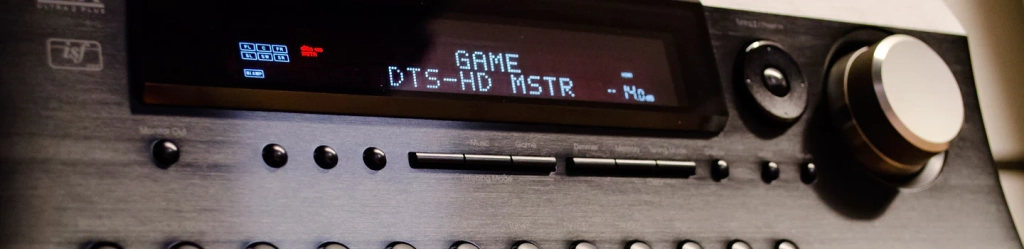
A deeper dive into crossover frequencies:
There are many questions about digital bass management – and it can certainly be a confusing topic. Incorrect digital bass management settings in the A/V receiver (AVR) can result in poor sound quality and in some cases even damage to the speakers. This article covers the basics of digital bass management, which you can use to optimize the sound and performance of your entire system.
Where is the bass?
A Blu-ray or DVD typically contains seven discrete speaker channels and also an LFE (Low Frequency Effects, or .1) channel. It is a popular misconception that the LFE channel is the only channel on a Blu-ray or DVD that contains deep and powerful bass. In reality, depending on how a particular Blu-ray or DVD is mixed, there may also be deep, powerful bass in each of the speaker channels.
A plea for bass management
In a modern HT system, the speakers are typically not designed to handle deep bass and can be overloaded (or even damaged) by improper bass management settings in the AVR. The purpose of good digital bass management is to ensure that all the deep bass from the Blu-ray or DVD is routed to the subwoofer so that the speakers can handle the bass and treble.
Size matters – small versus large
Speaker sizes in an AVR can be confusing or misleading because they are often labeled “Large” or “Small,” and in reality these terms have little to do with the actual physical size of the speaker itself.
A Small setting does not necessarily mean that the speaker in that channel is physically small – it just means that the bass in that channel is digitally managed by the AVR. A Small setting redirects the bass in that channel to the subwoofer, below the crossover frequency selected/specified in the AVR. In the past, a Small setting usually meant a crossover in the 80-100 Hz range, but modern AVRs now offer crossover frequencies as low as 40 Hz, covering even physically large and bass-capable speakers such as towers.
With the possible exception of true full-range tower speakers, a Small setting is recommended for all speaker channels because it ensures that the speakers do not receive bass below their safe and effective limits. This improves the sound quality of the speakers, and it also releases additional power into the AVR, improving overall system dynamics.
A Large (aka Full-Band) setting means that the speaker channel receives a full-range signal from the AVR. Again, with the possible exception of truly full-range tower speakers, a Large/Full-Band setting is generally not recommended, as it may overload and/or damage the speaker, and it may also consume additional power from the AVR, reducing dynamic headroom.
What is the best separation filter?
The optimum crossover frequency for each speaker channel depends on the bass extension and dynamic output capabilities of the connected speaker. Below is a general guideline for recommended crossover frequencies for speakers/subwoofers.
- Small satellite speakers: 150-200 Hz.
- Small mid, surround, bookshelf: 100-120 Hz.
- Medium mid, surround, bookshelf: 80-100 Hz.
- Large center, surround and bookshelf: 60-80 Hz.
- Very large center, surround and bookshelf: 40-60 Hz.
- Tower speakers with 4″-6″ woofers: 60 Hz.
- Tower speakers with 8″-10″ woofers: 40 Hz or Large/Full-Band (i.e., full-range).
If you are unsure of the best crossover frequency for each speaker channel, contact the speaker manufacturer and/or us for additional advice.
One separation filter for all?
Some AVRs allow a crossover frequency to be assigned to each individual speaker channel managed with bass. This is a nice feature because it allows the crossover frequency to be matched to each speaker’s bass extension and dynamic output capabilities.
Other AVRs offer only one global crossover frequency that applies to all channels managed with bass. This single “compromise” crossover frequency may not be optimal for all speakers, especially if there are tower speakers in the system.
Subwoofer mode
AVR Subwoofer Mode menu options vary depending on the sophistication of the bass management circuit and the selected speaker size. The following is a description of common AVR subwoofer modes:
- LFE (aka Normal)
- The LFE channel is sent to the subwoofer.
- The redirected bass from all speaker channels that are bass driven (Small) are sent to the subwoofer below the specified crossover frequency.
- Bass from all speaker channels that receive a full-range signal (Large/Full-Band) are not sent to the subwoofer.
- LFE+Mains (also called Double Bass, Plus, Sub+Mains)
- The LFE channel is sent to the subwoofer.
- Redirected bass from all speaker channels with bass management (Small) are sent to the subwoofer.
- The bass of all speaker channels that receive a full-range signal (Large/Full-Band) are duplicated and also sent to the subwoofer. The low-pass (cut-off) frequency for this duplicated signal depends on the sophistication of the AVR’s bass management circuitry.
The AVR’s subwoofer menu may also have the “LPF for LFE” setting. This controls the highest playback frequency for the LFE (.1) channel before it is truncated (i.e. low-pass filtered) by the AVR. This setting should be set to 120 Hz, the default setting in most AVRs, and also corresponds to best practices/standards for encoding/mixing Blu-ray or DVDs.
Automatic setup – Trust but verify
Almost all modern AVRs offer an auto-set-up routine with a plug-in microphone and an on-screen GUI with easy-to-follow steps. The four core functions of the auto-set-up routine are:
- Level adjustment of the speaker channels and subwoofer so that they all play at the same relative volume, resulting in a balanced sound field.
- Align the speaker channels and subwoofer so that they all arrive at the listening position at the same time, which is important for convincing panning effects across multiple channels.
- Equalization of the speaker channels and subwoofer for best sound quality.
- Selecting the best digital bass management settings for each speaker channel and the subwoofer.
Automatic setup routines sometimes make non-optimal choices (or even outright errors), especially in digital bass management settings. For example, an AVR may assign a crossover frequency that is too deep for a particular speaker, or may even set a speaker channel to full-range when it should instead be bass-managed. So it is best to check the automatic setup results and consult with us to ensure that all settings are optimal for your particular speakers and subwoofer model.
Set the crossover point manually:
The crossover point determines which frequencies go to the subwoofer and which go to the other speakers.
- Usual crossover value: between 80 Hz and 120 Hz
– 80 Hz: if you have large floorstanding speakers.
– 100-120 Hz: if you have smaller bookshelf speakers.
The higher the crossover point, the more low frequencies are sent to the subwoofer. - Adjust filter settings correctly
There are often high-pass (HPF) and low-pass filters (LPF) in your amplifier or processor:
– LPF for subwoofer: Set to e.g. 100 Hz. Subwoofer gets everything below 100 Hz
– HPF for other speakers: Set to 100 Hz. Other speakers get everything above 100 Hz
This way you avoid overlap and send the low frequencies to the subwoofer. - Subwoofer volume and phase
– Volume: Turn it up slightly if you want even more bass.
– Phase (0° / 180°): Play with this setting to bring the sub into better phase with the other speakers (for tighter bass).